
Take ownership of your podcast
Launch Your
Podcast.
Own Every Bit of It.
Podcast.
Own Every Bit of It.
Selfhost Podcasting lets you publish Apple & Spotify-compliant podcasts, and run private subscriber feeds, all from inside WordPress. Your data. Your feed URL. Your audience. Forever.

Your Podcast is Live in 4 Steps
Simple setup, no coding required. From plugin install to your first feed live on Apple Podcasts and Spotify in minutes.
Install the Plugin
Download free from WordPress.org. Activate in your WordPress admin. No API keys required for the free tier.
Create Your Podcast
Enter your show name, description, cover art, category, language, and Apple/Spotify metadata. Hit save.
Add Your Episodes
Upload audio from your media library or paste an external URL. Duration is detected automatically.
Submit to Directories
Copy your unique RSS feed URL and submit it to Apple Podcasts, Spotify, and any other directory. Done.
Everything You Need, Nothing You Don't
A focused, professional podcasting toolkit that runs entirely inside WordPress — powerful enough for agencies, simple enough for independent creators.
Platform-Compliant RSS Feeds
Generates fully spec-compliant RSS 2.0 with Apple Podcasts iTunes namespace, Spotify requirements, and Podcast Index extensions — all in one feed, automatically.
Unlimited Podcasts per Site
Run a full podcast network from one WordPress install. Each show gets its own independent feed, settings, analytics prefix, and cloud storage config.
Import from Any RSS Feed
Migrating from Buzzsprout, Anchor, or Castos? Paste your old feed URL and select the episodes to import. Metadata, dates, durations — all carried over.
Third-Party Analytics Prefix
Integrate with Podtrac, Blubrry, or OP3 by entering one URL. The prefix is automatically applied to all episode audio URLs in the feed — no manual edits.
Zero Frontend Footprint
Does not inject any JavaScript or CSS on your public website. Your page speed scores stay intact. Your theme is untouched.
Developer-First Architecture
17+ documented filters let you customise every part of feed generation, episode metadata, and storage behaviour — without touching core files.
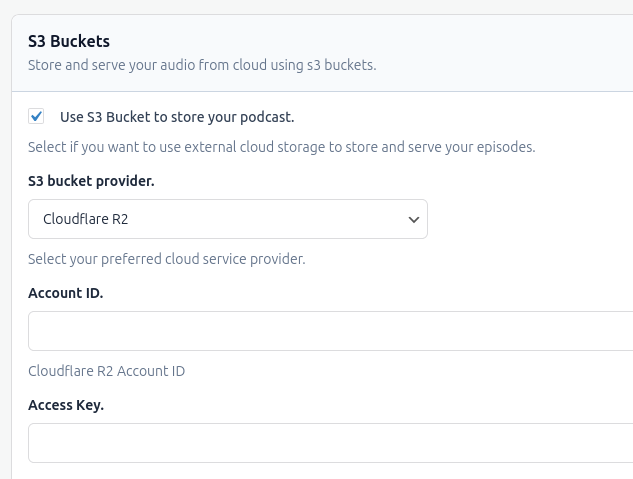
Cloud Storage Integration
Connect with your cloud storage and offload your audio files to external cloud storage. Connect to Cloudflare R2, Amazon S3, or Wasabi and uploads every new episode automatically in the background.
- Automatic background upload after episode save
- Multipart upload for files over 64 MB
- Auto-delete episode from cloud when removed from WP
- Circuit breaker prevents runaway failures
- API keys stored encrypted — never in plain text
Pro Feature
Earn From Your Podcast With Private Subscriber Feeds
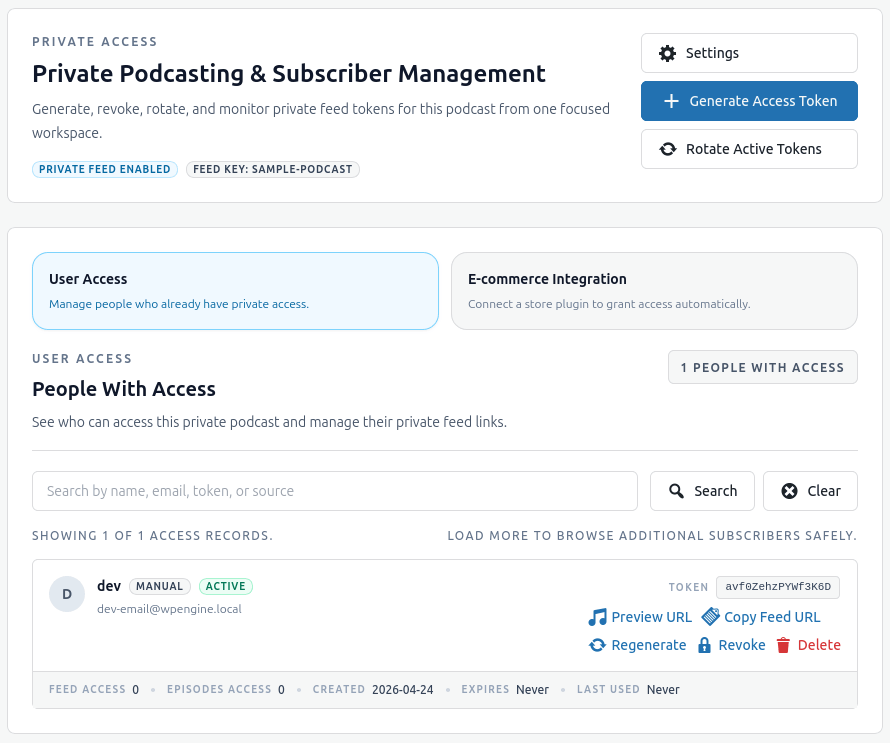
Deliver exclusive content to your paying members through a secure, token-based private feed — right from your WordPress admin. Every subscriber gets their own unique feed URL. You choose the expiry, the access limits, and the content they receive.
-
Per-Subscriber Access Tokens
Each subscriber gets a unique token embedded in their private feed URL. Revoke access instantly without affecting others.
-
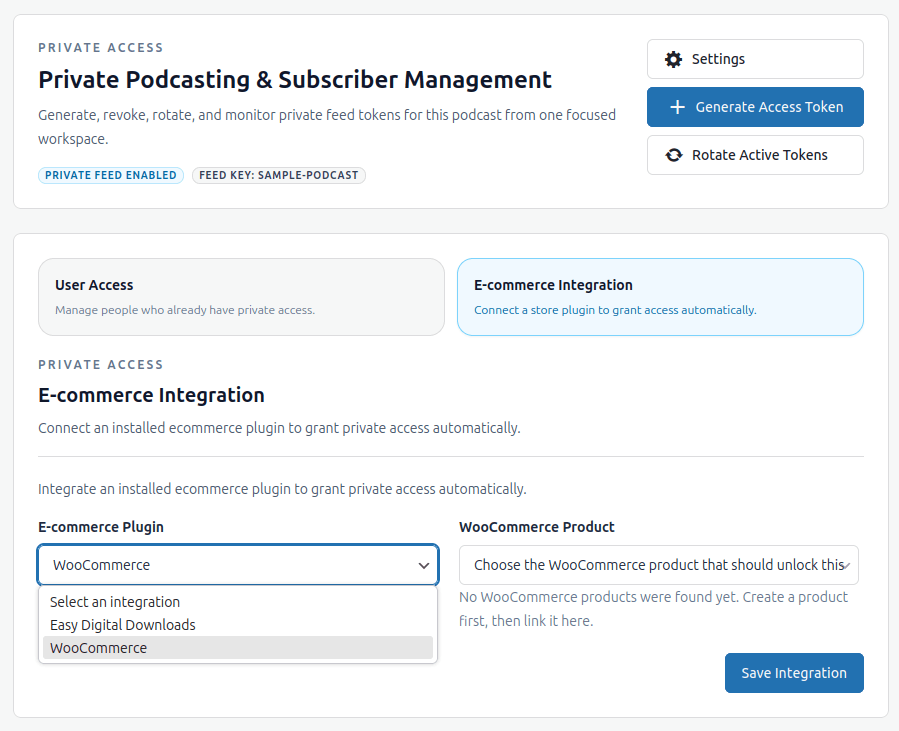
Sell using your favorite ecommerce plugin
The plugin support selling subscription using your favorite plugin like wooCommerce, easy digital downloads, Paid Membership Pro etc.
-
Audio Proxy — URLs Never Exposed
Audio files are served through a WordPress proxy for private feeds. Your real storage URL is never visible to subscribers.
Start Free. Upgrade When You're Ready.
The free plugin is genuinely powerful. Pro unlocks the advanced features that serious podcasters and agencies need.
Everything you need to launch and run a professional podcast.
- Create Unlimited Podcasts
- Apple and Spotify Compliant RSS feeds
- Preview page to share and play podcasts
- Cloud Storage Integration
For agencies, membership creators who offer private podcasting.
- Everything in Free
- Private Subscriber Feeds
- More Features to come...
Have Any Questions?
Browse our FAQ section or ask us using the contact form. We will be happy to reply to your queries.
Can I use the plugin on non-WordPress website?
No. Podcast player will only work with self-hosted WordPress installation.
Can I create more than one podcast feed?
Yes, you can create multiple podcasts with their own separate feeds. Each feed is independent and fully customizable.
Are the feeds compatible with Apple Podcasts and Spotify?
Yes. The plugin generates RSS feeds that meet the requirements of both Apple Podcasts and Spotify, including fields like episode type, season, and explicit content flags.
Does this plugin include a podcast player?
This plugin is focused on feed generation. We already have a best in class podcast player plugin. You can use it to showcase your podcast.
What kind of support can I expect?
We take support very seriously. Top-notch customer support for Active license key holders is key for a quality product, so we’ll do our very best to resolve any issues you encounter via email support. Please check our support policy for more information.
